Four scoped applications built from scratch — each one demonstrating a real-world workflow scenario, from classified asset access control to automated incident routing. Click through the screenshots to see how each project came together.

A fully scoped application that enforces clearance-based access to classified government assets. Users submit access requests that flow through a multi-stage approval process, while scripted ACLs silently restrict what each clearance level can see or modify. Every decision is captured in an audit trail and surfaced in real-time executive dashboards.
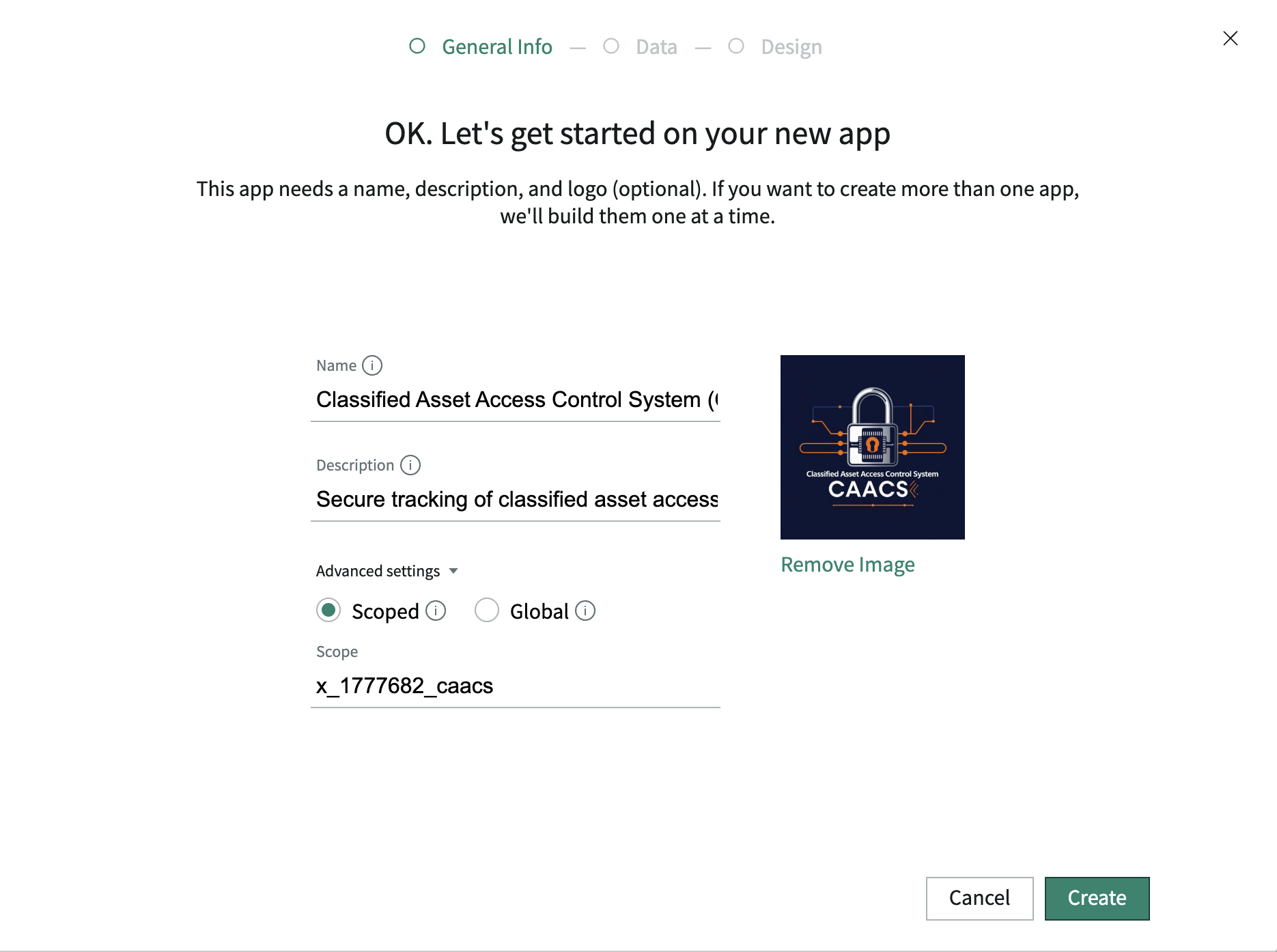
App created in Studio. The CAACS scoped application is initialized — establishing the isolated namespace that all tables, roles, and flows will live inside.
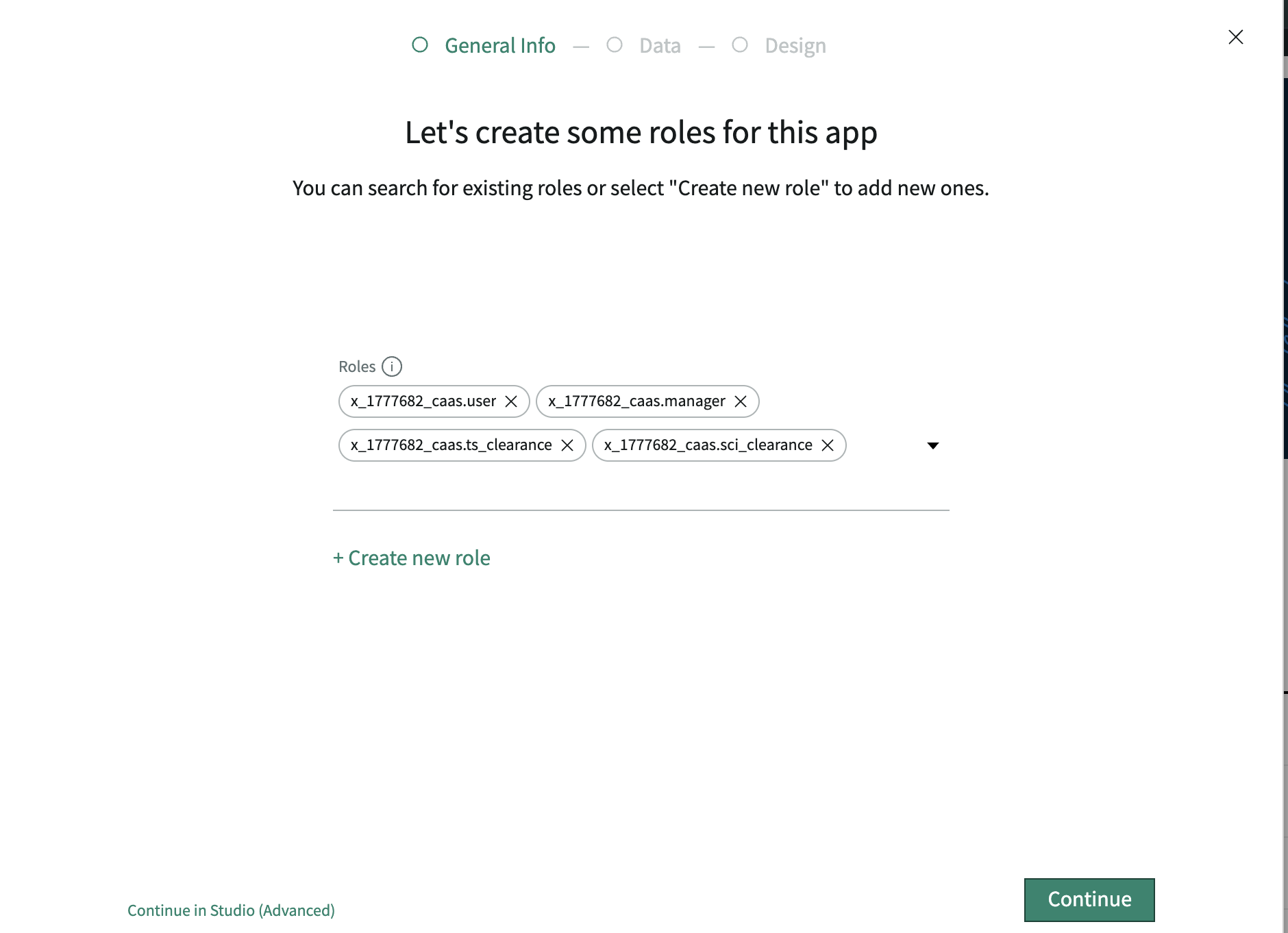
Roles defined. Three custom roles created: Asset Manager (full access), Approver (approval queue only), and Read-Only (view clearance-eligible records only).
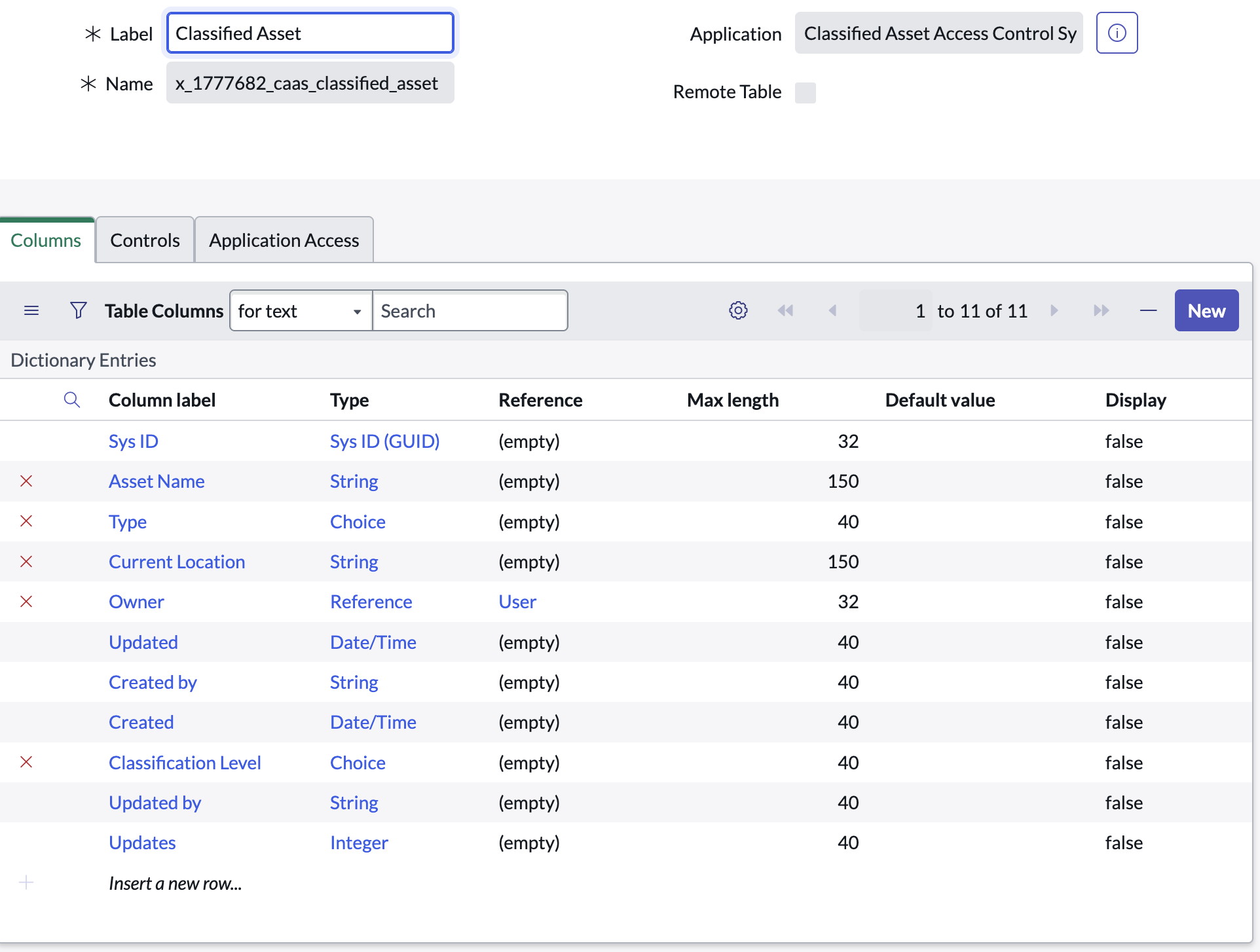
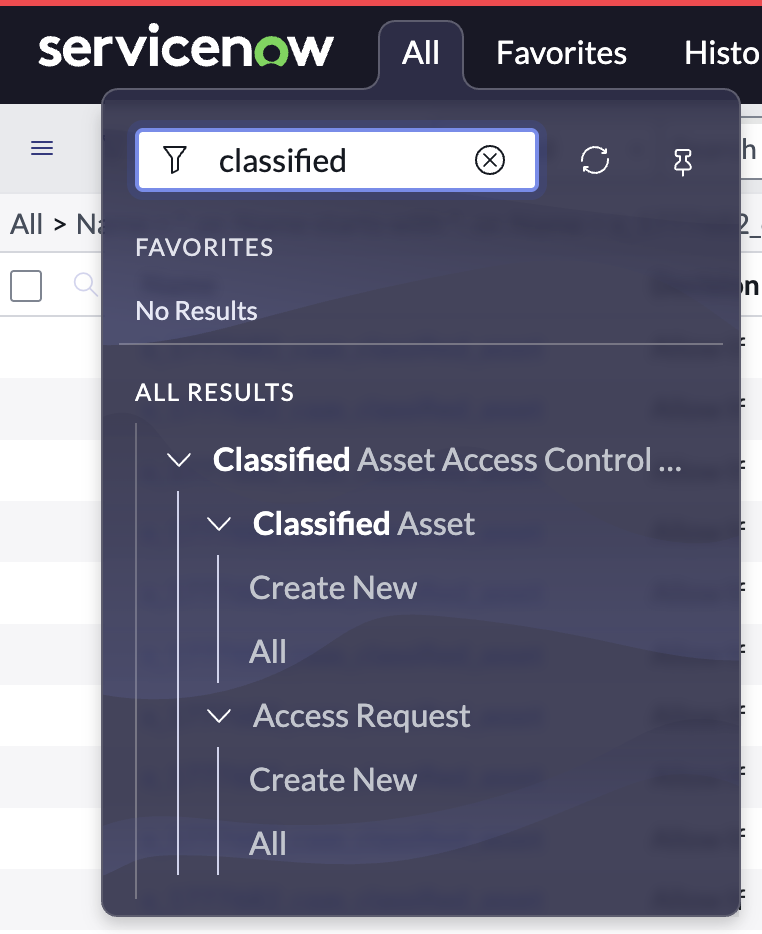
Classified Asset table built. Custom table stores asset name, classification level (Confidential / Secret / Top Secret / SCI), custodian, and current status.
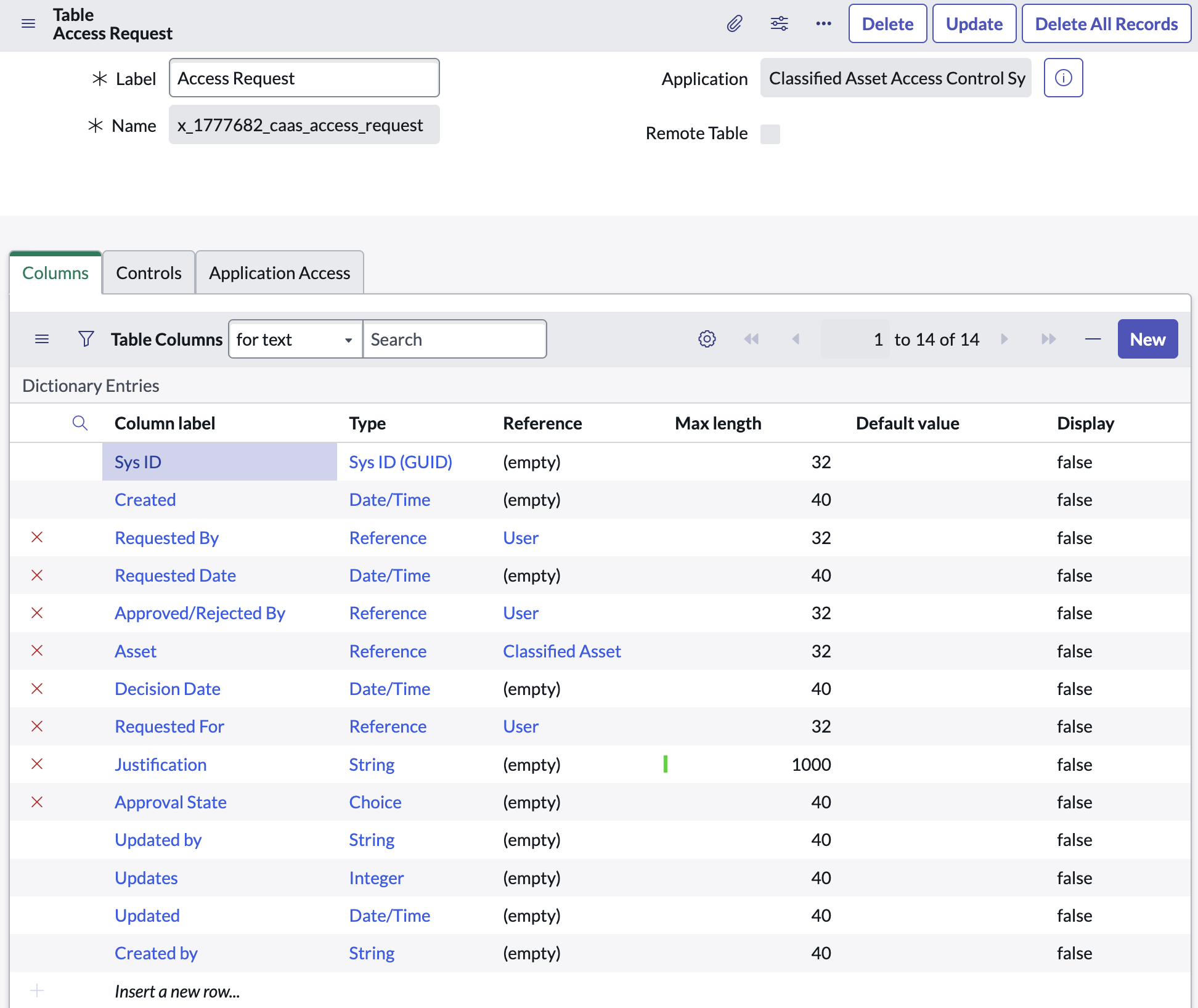
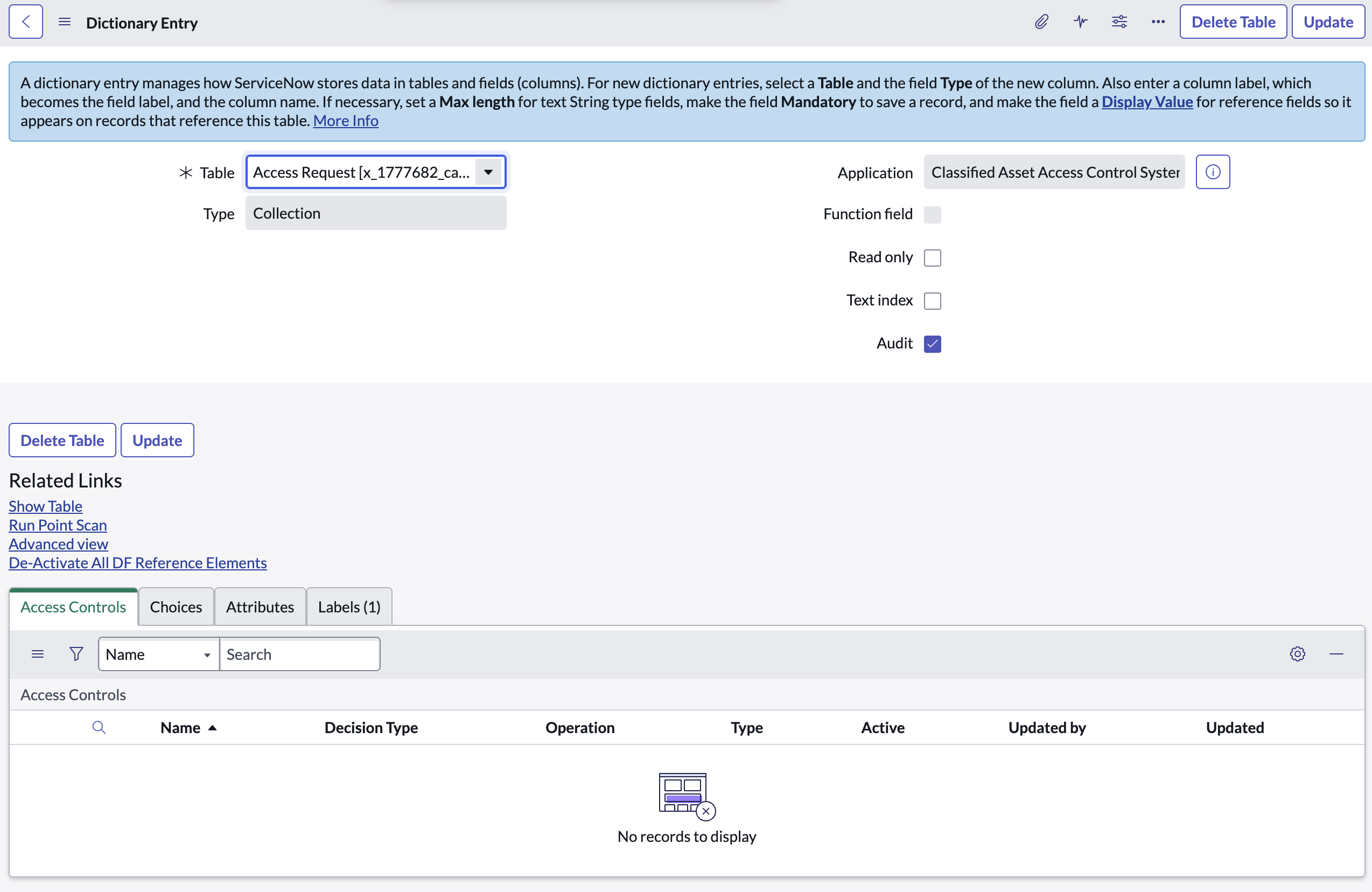
Access Request table built. Captures requestor, target asset, justification, approval state, and a reference to the approver — the engine of the workflow.
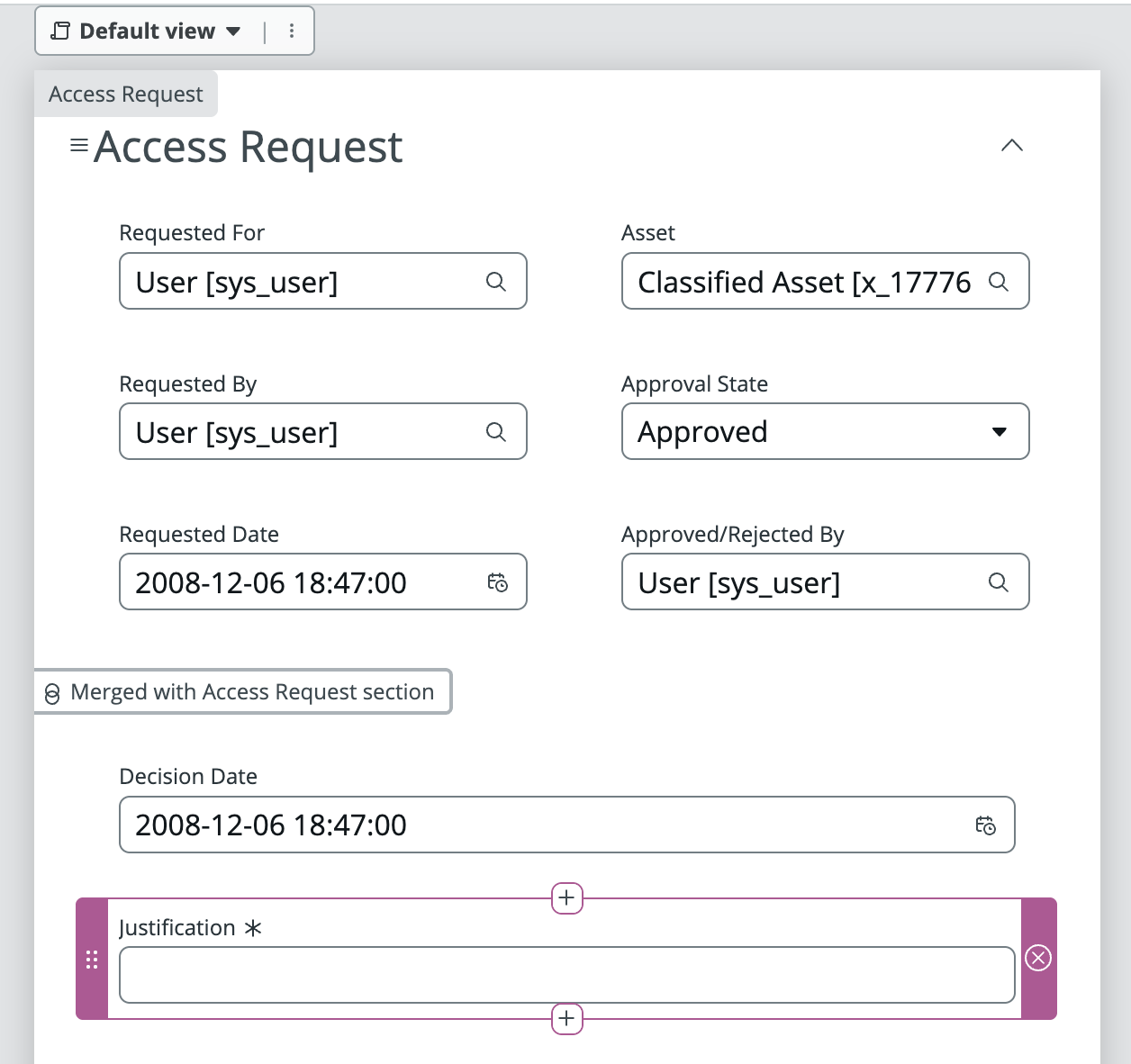
Access Request form designed. Form Builder used to lay out the intake form — conditional fields reveal justification text only when the requested clearance level exceeds the requestor's current level.
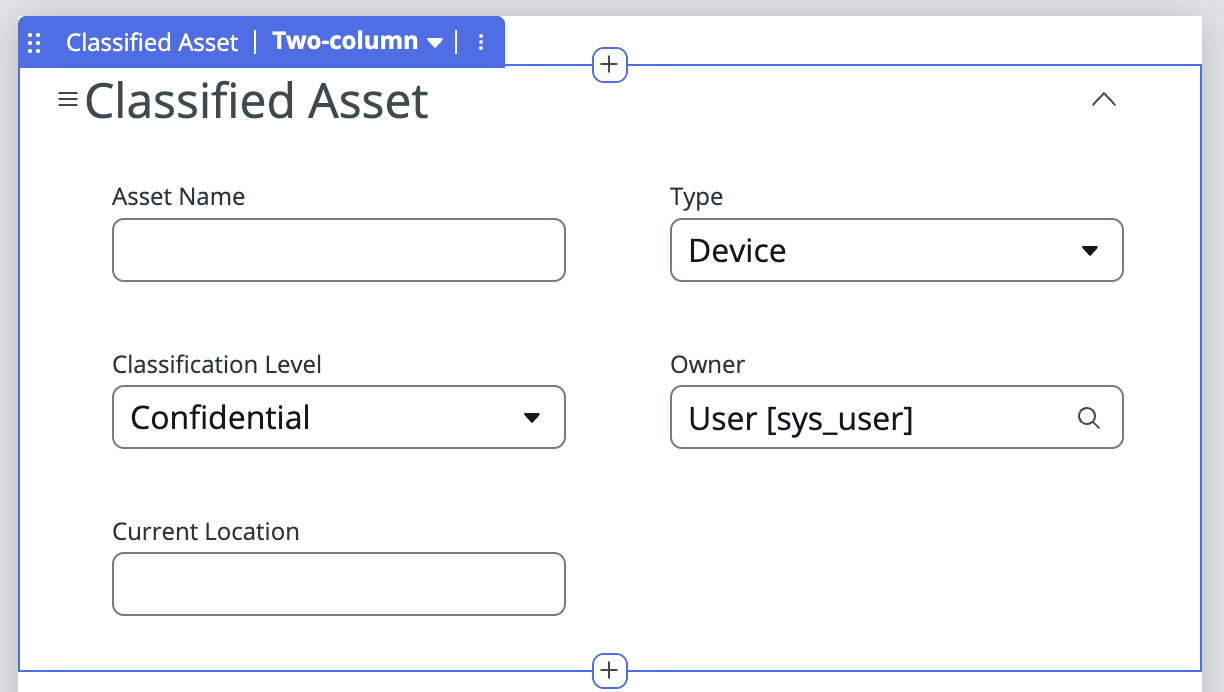
Classified Asset form designed. UI Policies hide sensitive classification fields from users whose clearance level doesn't meet the threshold — enforced client-side before ACLs fire server-side.
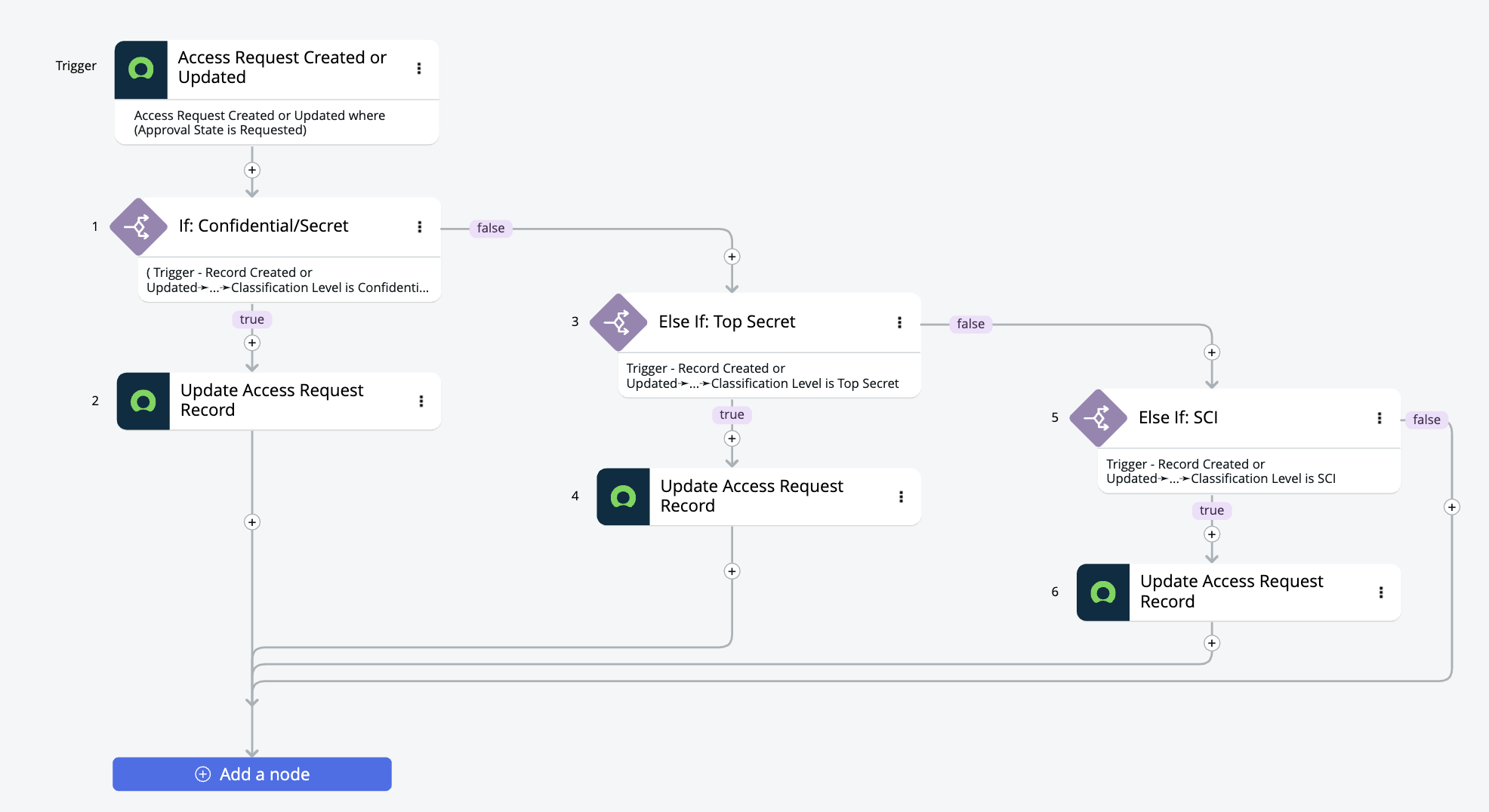
Approval flow built in Flow Designer. Multi-stage flow routes Access Requests through a two-level approval chain — department Approver first, then Asset Manager. Branching logic auto-denies requests where clearance is insufficient, and triggers email notifications at every state change.
Audit trail configured. Every access decision — approval, denial, or escalation — is written to an audit record capturing the actor, timestamp, and outcome for compliance reporting.
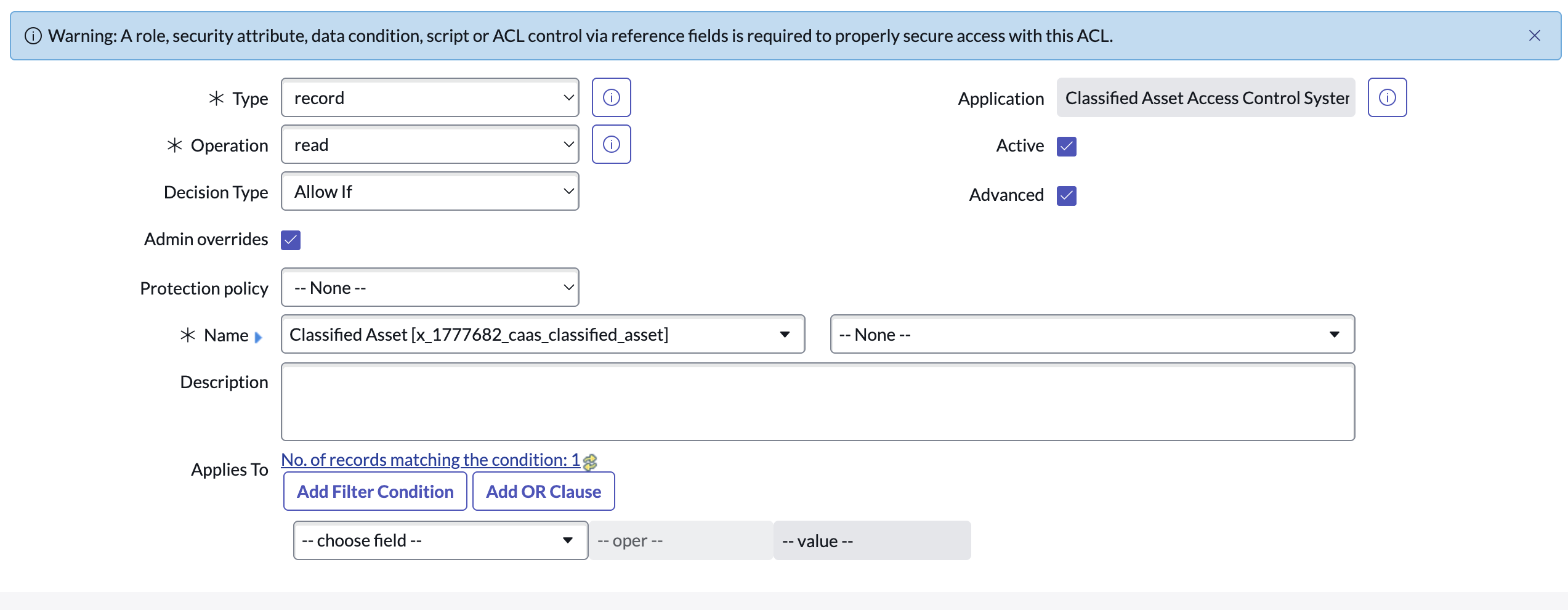
Scripted ACL — read restriction. Server-side ACL script compares the requestor's clearance field against the asset's classification level. Records above clearance return false — invisible in list and form views.
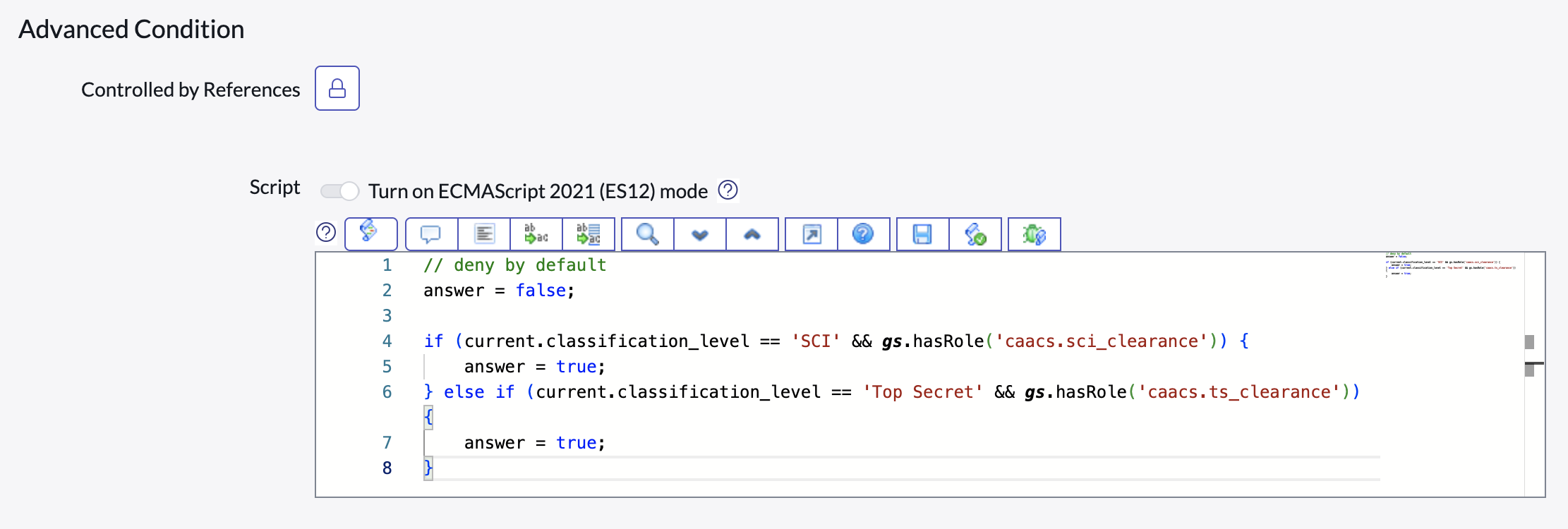
Scripted ACL — write restriction. Write-access ACL blocks modification of classified asset records by anyone below Asset Manager role, regardless of URL manipulation or API calls.
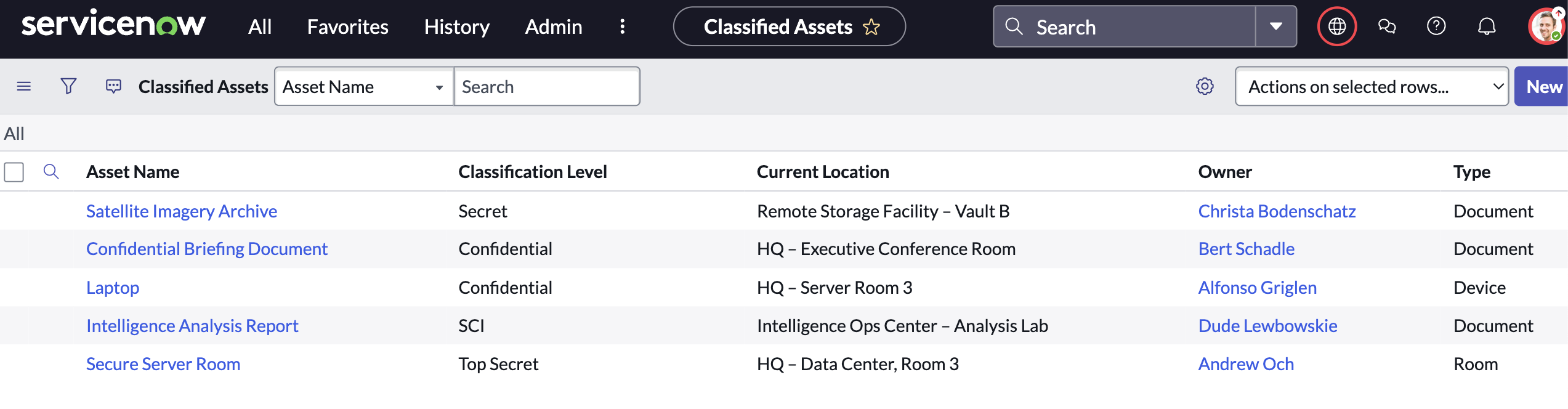
Sample data loaded and ACLs verified. Test records created across all four classification levels. Logged in as each role in turn to confirm that ACL filtering works correctly — Secret-cleared users see only Confidential/Secret rows, never Top Secret or SCI records.
Executive dashboard — pending queue. Live count of pending access requests by classification level, average approval time, and a sortable queue for the Approver role.
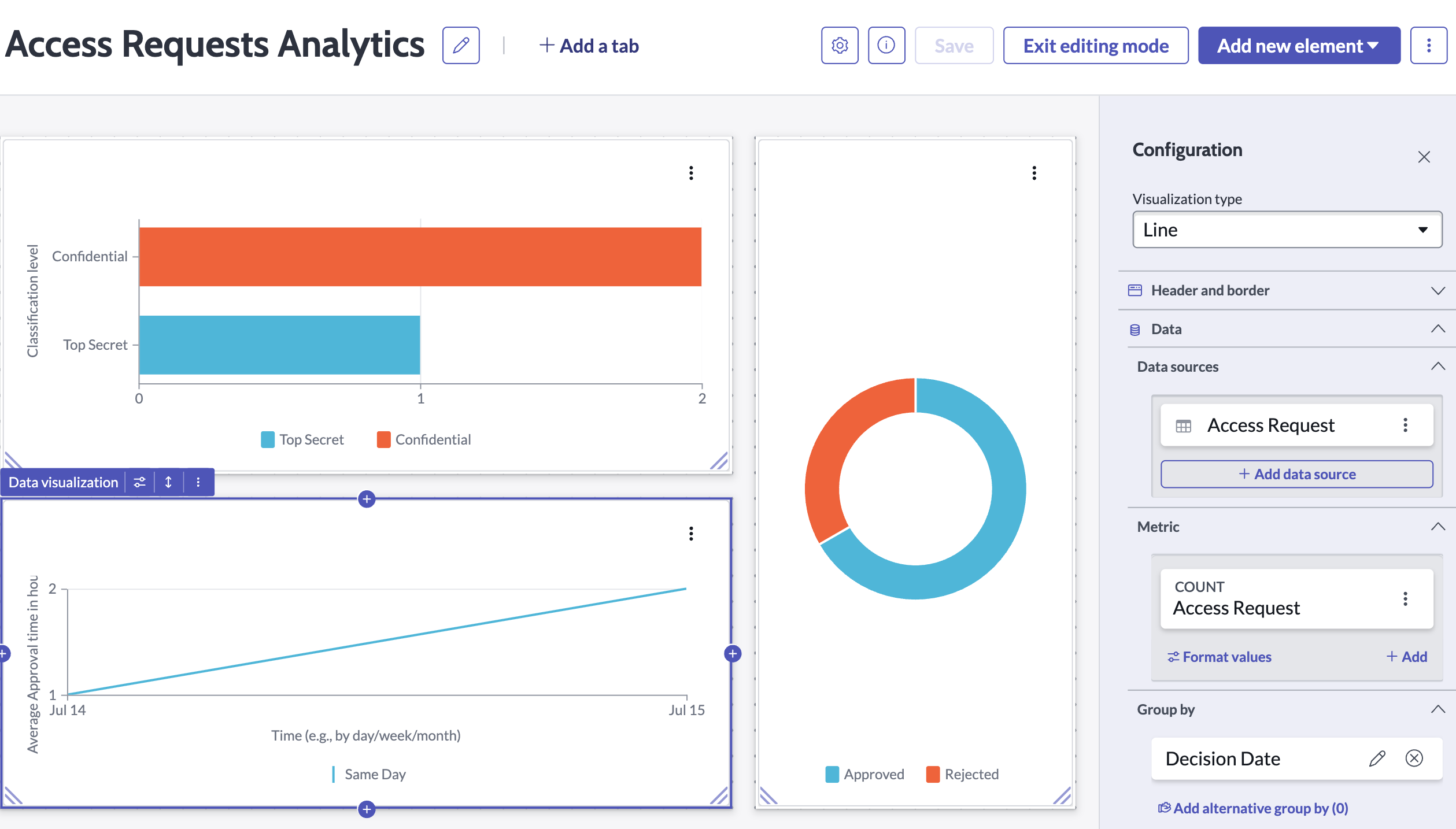
Dashboard — clearance distribution. Donut chart shows active clearance levels across the organization. Asset Managers use this to spot departments where high-classification access is concentrated.
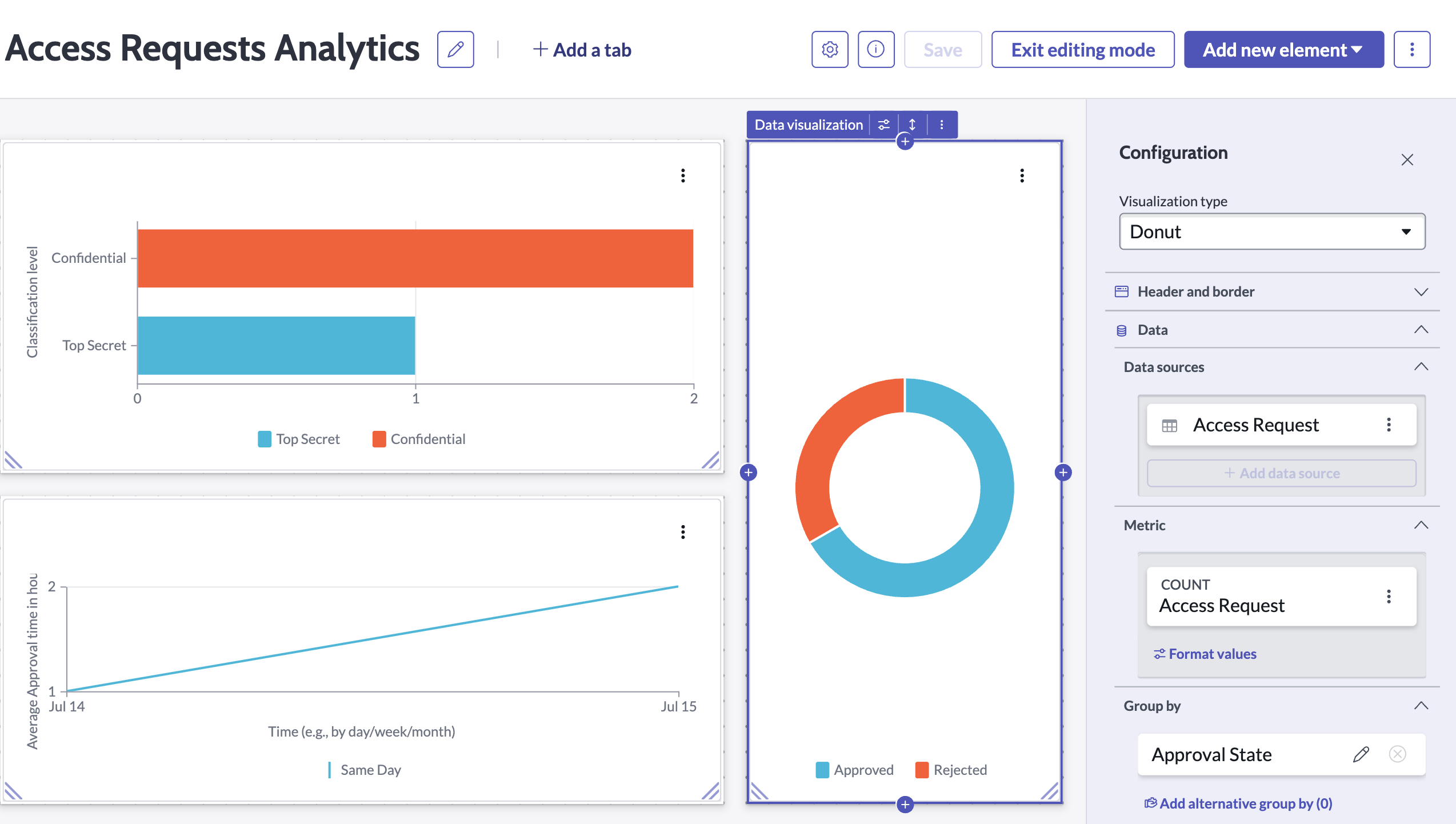
Dashboard — approval trend chart. Bar chart tracks approvals, denials, and outstanding requests over a rolling 30-day window — giving leadership a clear picture of access velocity and denial rate.

A scoped application that tracks employee security clearance status and automatically alerts HR and the employee when expiration is approaching. A termination flag suppresses alerts for separated employees, and a real-time dashboard gives leadership full visibility into clearance health across the organization.
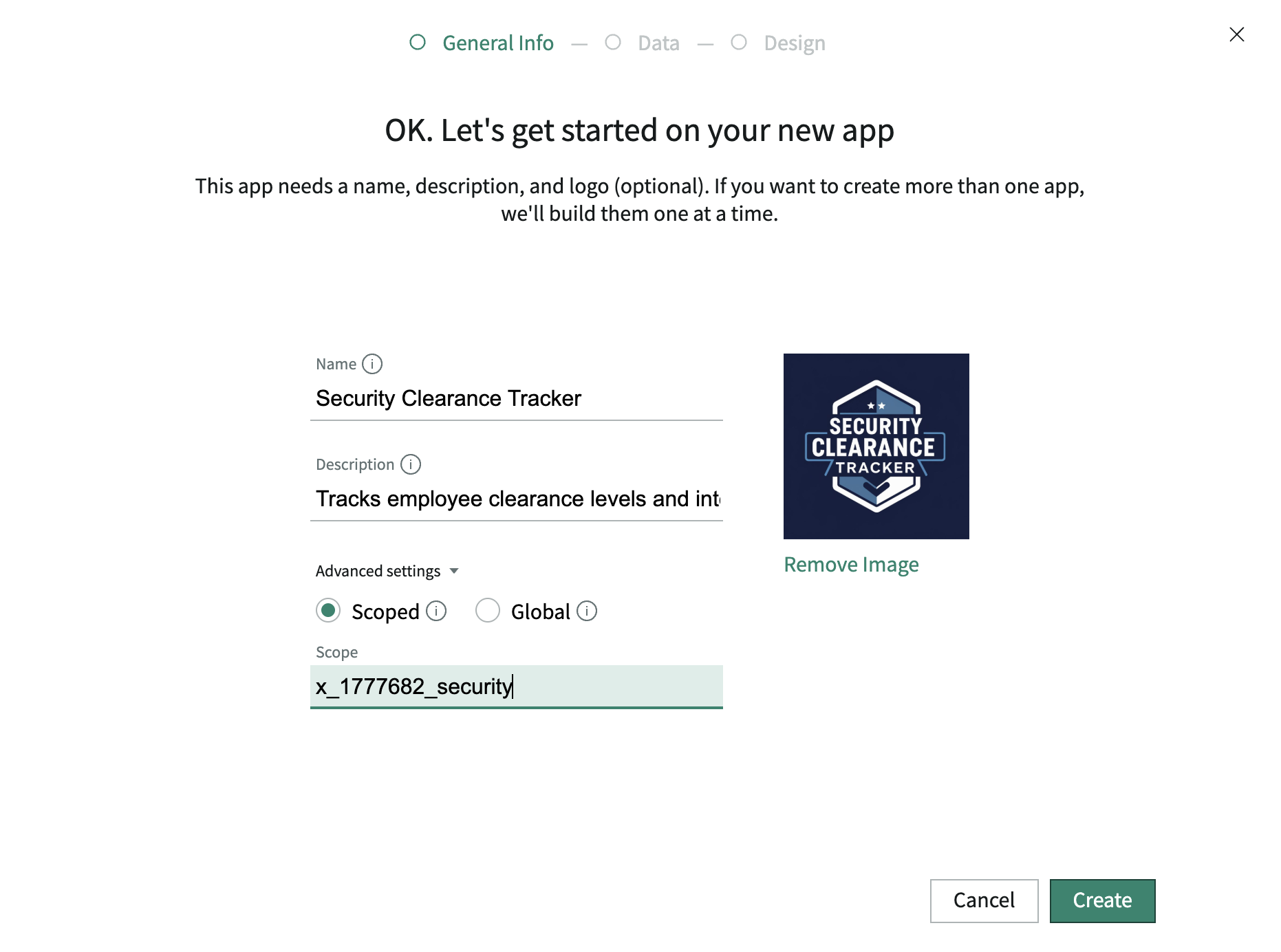
Scoped application initialized. Security Clearance Tracker created in Studio — its own namespace, separate from global scope, to prevent conflicts with other platform modules.
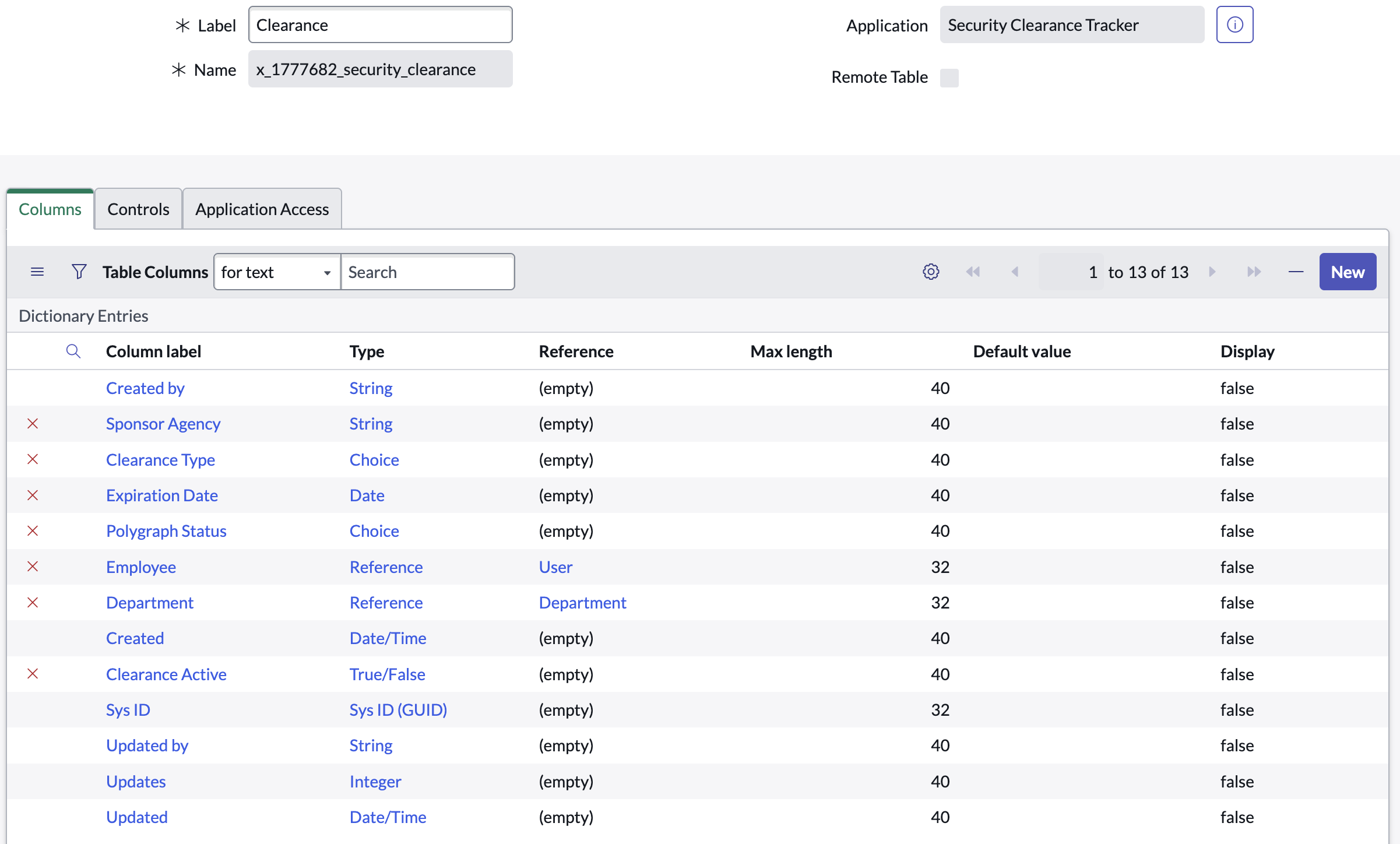
Clearance table built. Custom table stores clearance level, issuing authority, issue date, expiration date, and current status — one record per employee clearance grant.
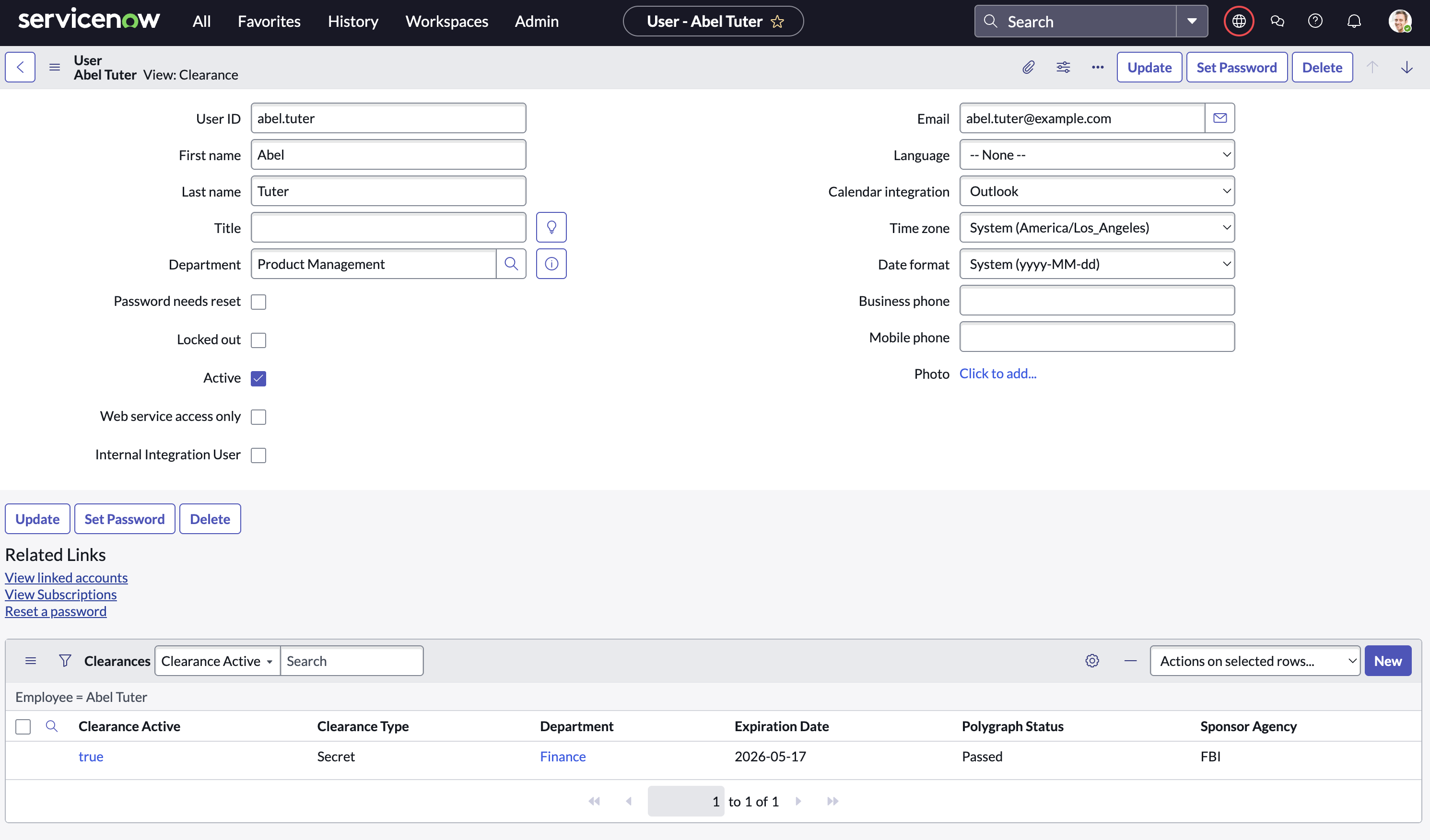
User relationship established. Reference field links each clearance record to the sys_user table — enabling lookups, notifications, and role-based views scoped to the employee.
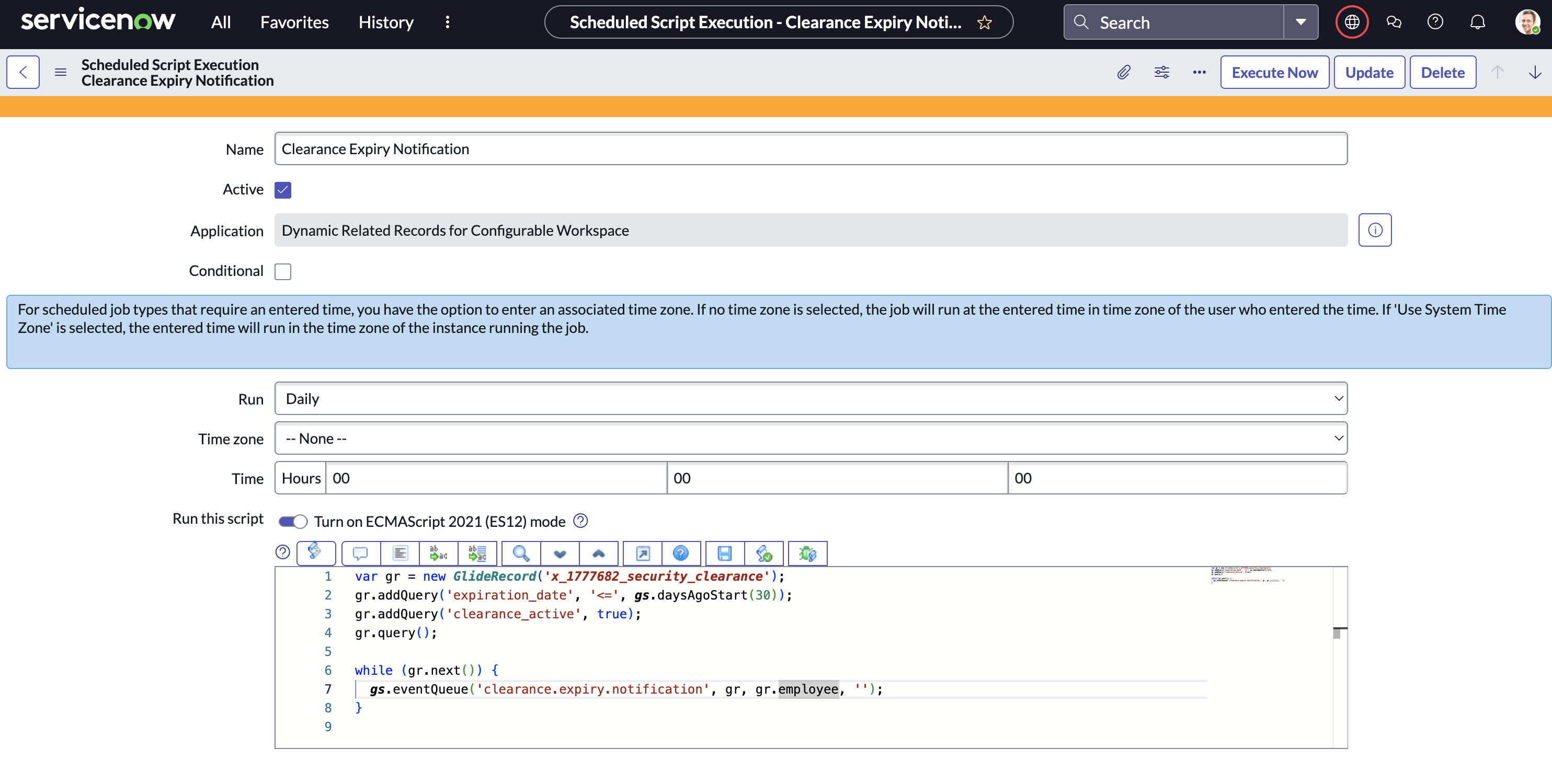
Expiration detection script written. Scheduled Script Include queries all clearance records with an expiration date within 30 days and fires the custom expiration event for each matching record.
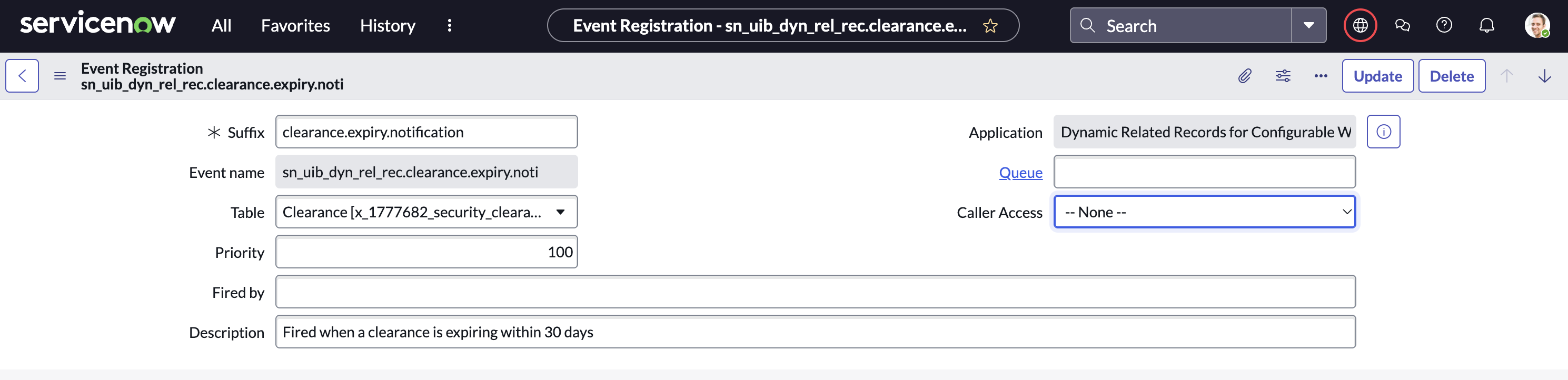
Custom event registered. sct.clearance.expiring event registered in the Event Registry — decouples the expiration detection from the notification, making both independently maintainable.
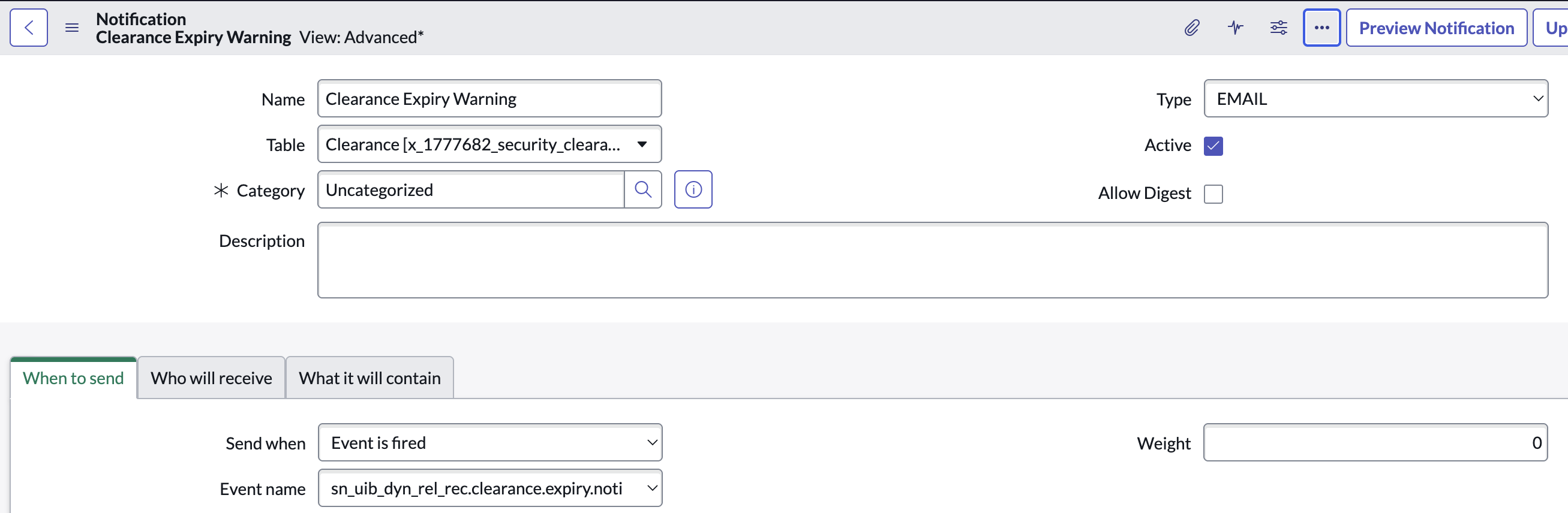
Email notification template built. Dynamic template pulls the employee name, clearance level, expiration date, and issuing authority from the triggering record into the notification body.
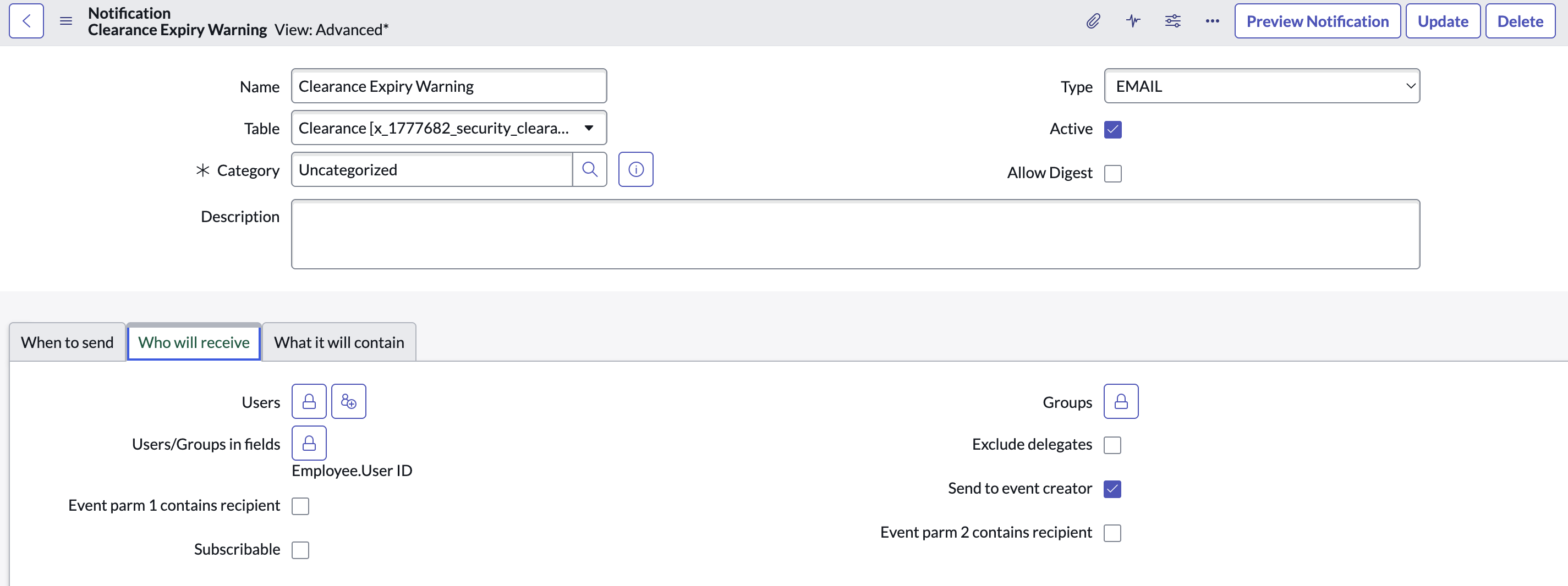
Notification trigger configured. Notification set to fire on the sct.clearance.expiring event, targeting the clearance holder and their HR business partner simultaneously.
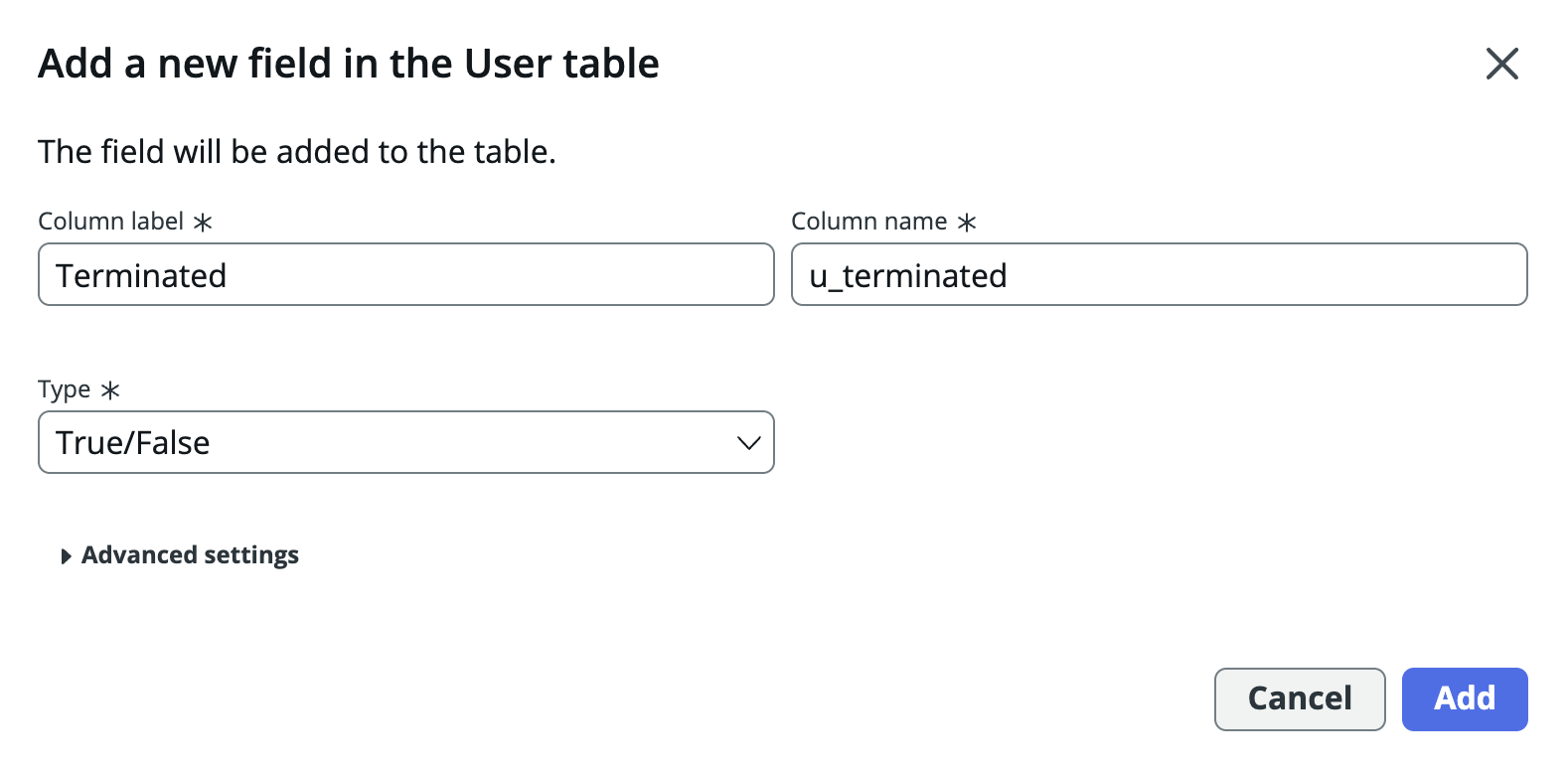
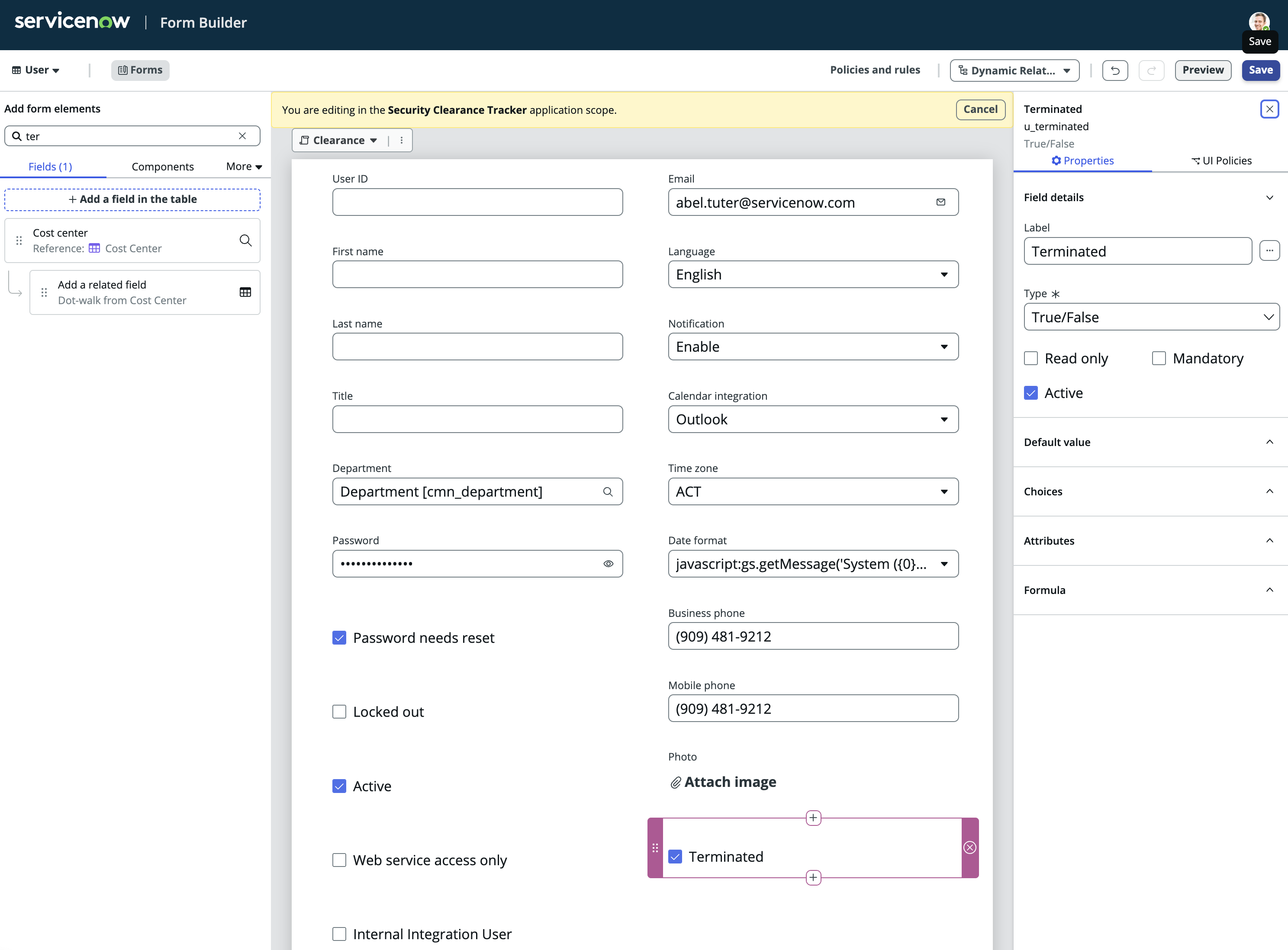
Terminated field added. Boolean field added to the clearance table — HR flips this when an employee separates, signaling downstream logic to suppress any further alerts.
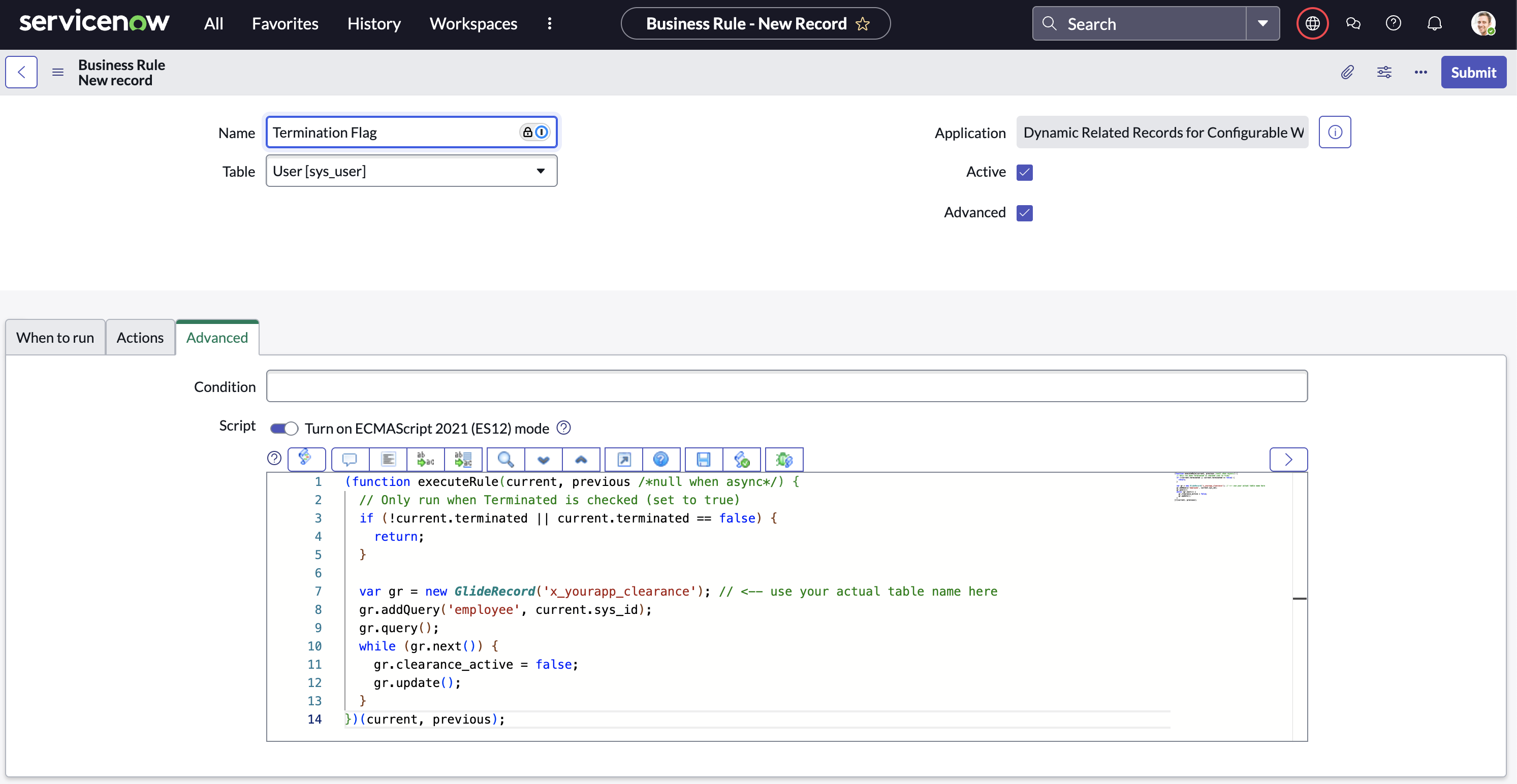
Business Rule wired to terminated flag. Before-insert Business Rule checks the Terminated flag before the expiration event fires — terminated employees are excluded from the alert query entirely.
Termination logic validated. Test records created for both active and terminated employees with upcoming expiration. Confirmed: alerts fire only for active employees, terminated records are silently skipped.
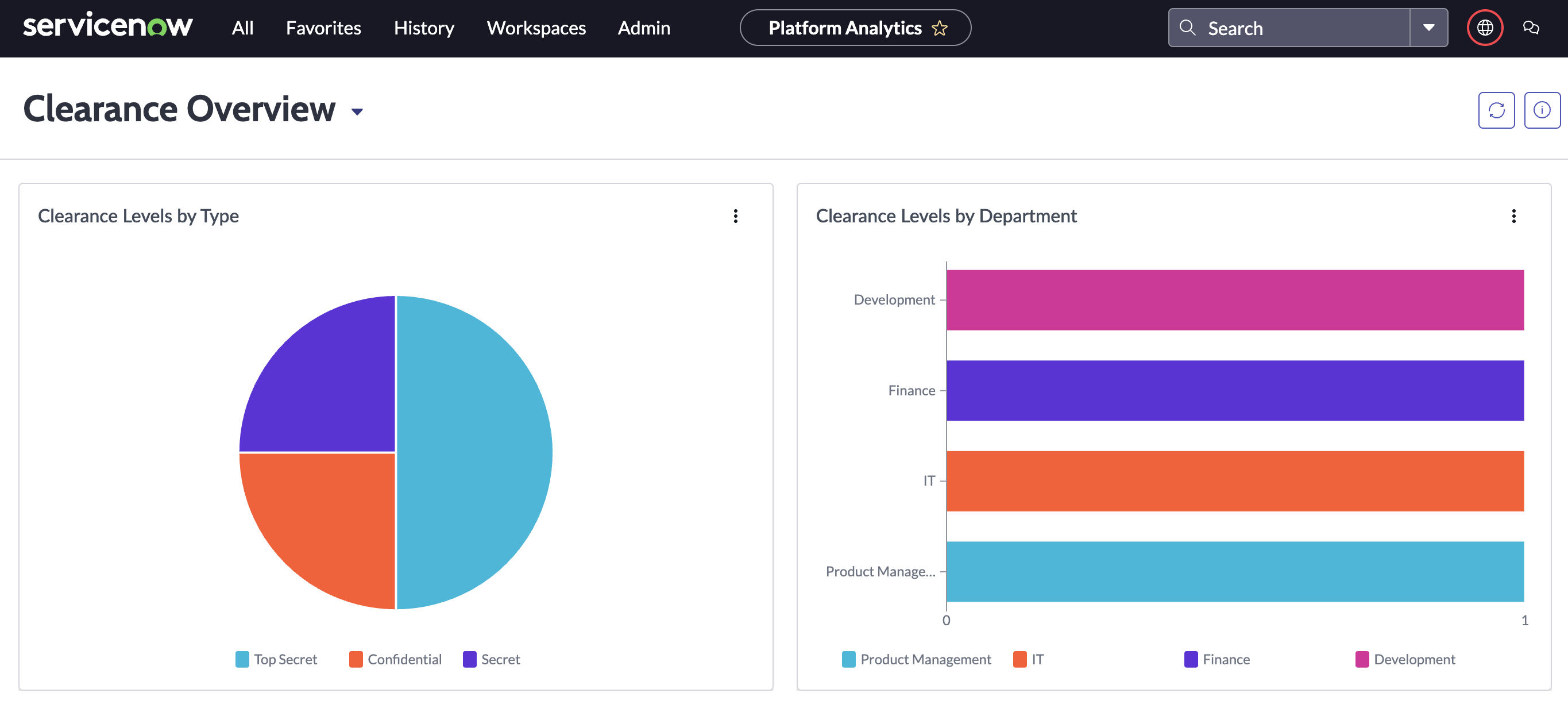
Clearance health dashboard. Real-time view of active clearances by level, upcoming expirations in the next 30/60/90 days, terminated suppressions count, and a filterable list of records requiring action — all in a single dashboard for HR and Security leadership.
A multi-department onboarding system built with Service Catalog and Flow Designer. When a new hire is created, the workflow automatically fans out parallel task groups to IT Hardware, IT Accounts, Facilities, and HR — each with their own checklist, assignment rules, and SLA. No manual routing, no dropped tasks.

IT Hardware group. Assigned tasks: workstation imaging, peripheral provisioning, monitor setup, and access badge hardware. Flow assigns all tasks simultaneously at hire start date — no sequential bottlenecks.

IT Accounts group. Handles corporate email creation, VPN credential generation, Active Directory group membership, and system login provisioning — all gated on hardware completion via flow dependency.

Facilities group. Manages desk assignment, parking permit, building access badge activation, and first-day welcome kit delivery. Tasks route to Facilities automatically — no email chain, no manual ticket.

HR group. Benefits enrollment, policy acknowledgment, handbook signature, and orientation scheduling — the final gate in the workflow. Completion of all HR tasks triggers the "Onboarding Complete" notification to the manager.

A scoped application that ingests, categorizes, and routes security alerts through to formal incident records. Custom roles control who can triage alerts versus manage incidents, and the table structure enforces a clean separation between raw alert data and the escalated incident lifecycle.
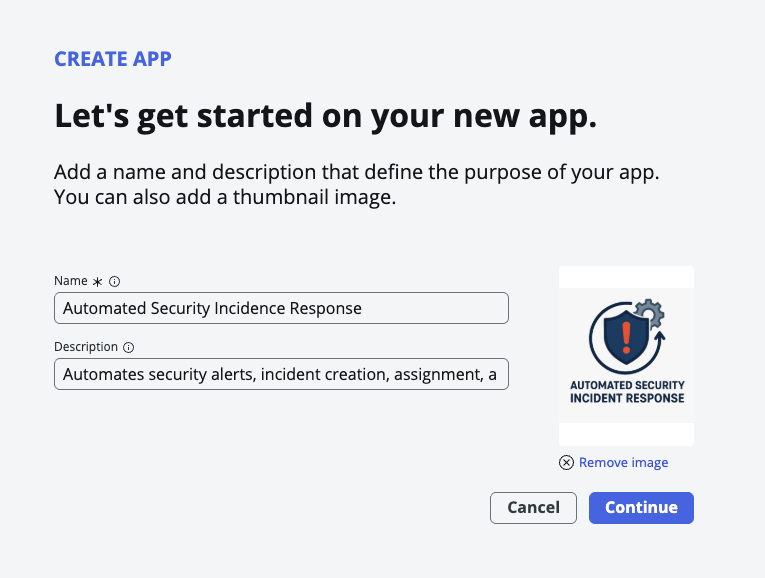
Application created in Studio. ASIP scoped application initialized — isolated from the global scope to contain all security-sensitive tables, roles, and scripts within a single governed namespace.
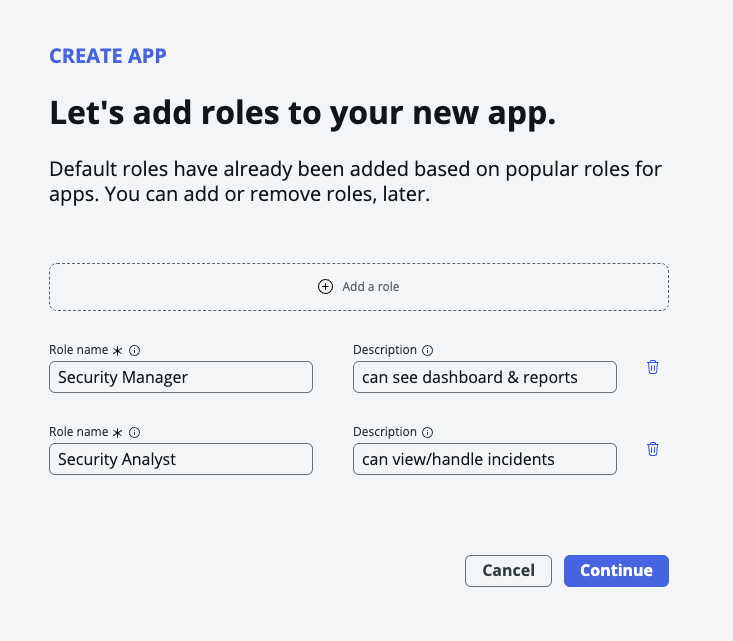
Role structure defined. Three roles created: Triage Analyst (alert intake and classification), Incident Manager (escalation and resolution ownership), and Read-Only (audit and reporting access only).
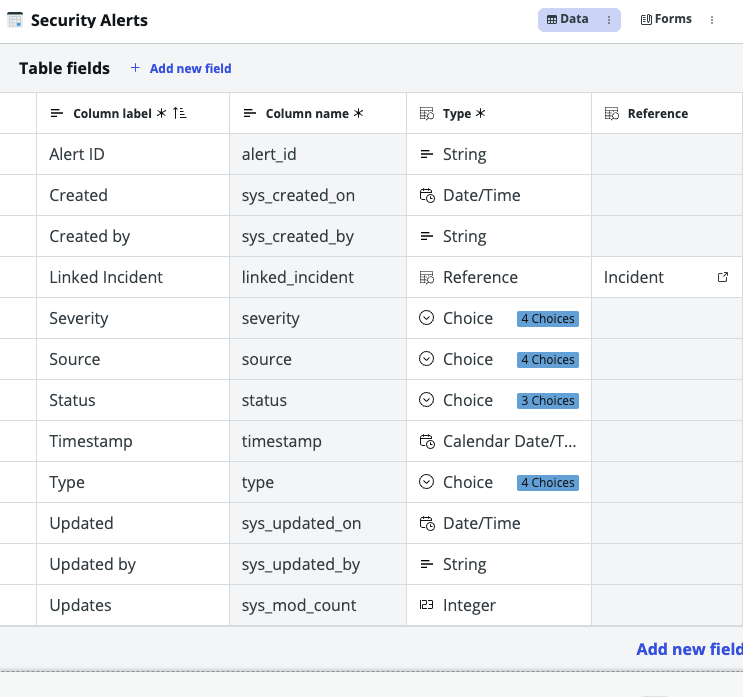
Security Alerts table built. Captures alert source, type (intrusion / anomaly / policy violation), severity (Low / Medium / High / Critical), triage state, and the assigned Triage Analyst — the first stop for every incoming signal.
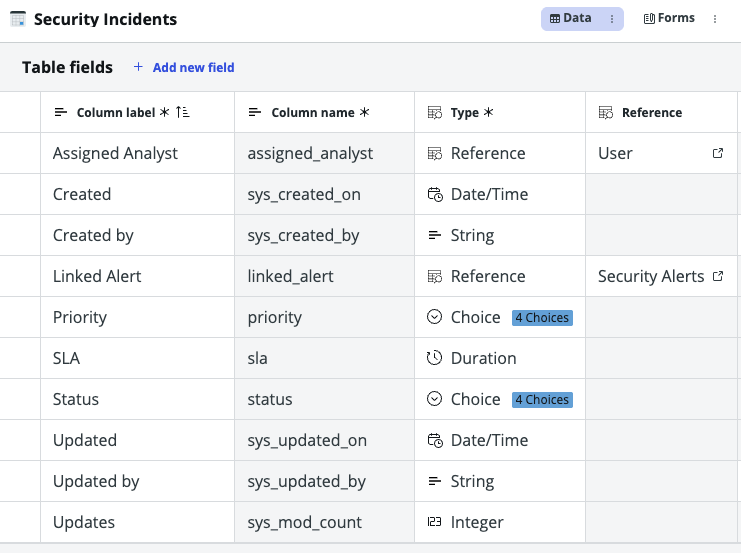
Security Incidents table built. Reference field links each incident back to its source alert. Incident Manager owns escalation, remediation steps, resolution, and post-incident review — fully tracked, fully auditable.
Want to see more? View the full portfolio and get in touch.
Back to Portfolio →